How to add a site to search engines: Google, sitemap, and indexation checklist
How to prepare a site for indexing: Search Console, sitemap, robots.txt, internal links, canonical, mobile, speed, HTTPS, and monitoring.


I will look at your site and answer your questions on the topic of this article. 30 minutes, no slide decks, no pressure.
Book a consultationSearch engines usually discover sites automatically through links. But for a new, migrated, or technically complex site, do not just wait: prepare the pages, sitemap, Search Console property, and indexation monitoring.
Quick answer
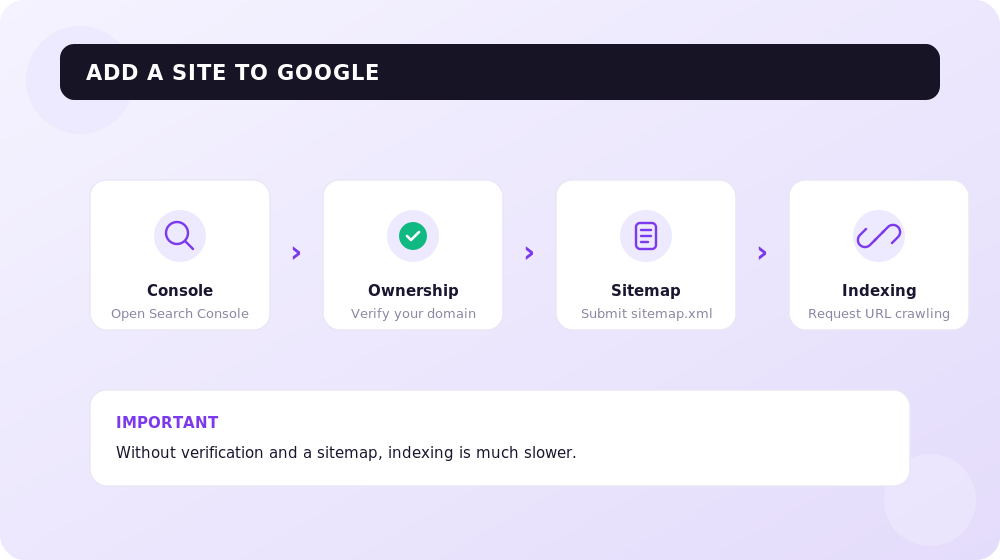
To add a site to Google, verify it in Search Console, submit an XML sitemap, make sure important pages are crawlable, and check canonical tags, internal links, and content quality.
Indexation checklist
| Element | What to check |
|---|---|
| robots.txt | important pages are not blocked |
| sitemap.xml | canonical URLs are included and updated |
| internal links | important pages are not orphaned |
| canonical | points to the correct URL |
| mobile | page works and reads well on phones |
| speed | first load is not blocked |
| HTTPS | no mixed content or redirect chaos |
| content | page answers a real intent |
When indexation is stuck
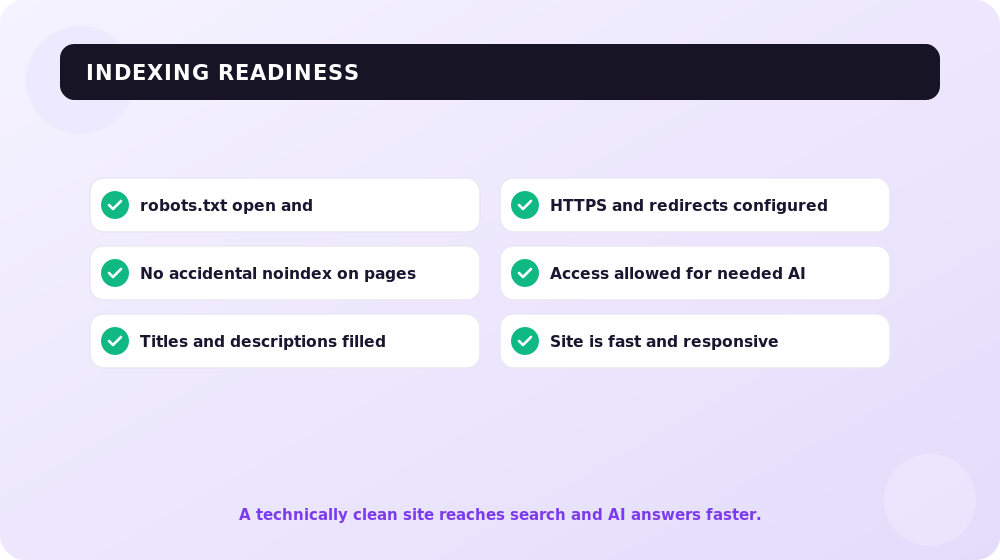
The reason is often not “Google cannot see the site”. It may be duplicates, thin content, weak internal links, wrong canonicals, noindex, JavaScript rendering, or pages with no clear demand.
A common myth is that AI-generated content automatically triggers a ban. Google judges quality, not origin: filters target mass-produced, unoriginal content created only to manipulate rankings — whether a human or a model wrote it. The benchmark is E-E-A-T (experience, expertise, authoritativeness, trust): if a page shows real experience and answers the query, it stays in the index.
IndexNow and AI crawlers
To speed up recrawling, use IndexNow — an open protocol that pings several engines about updates in one request (Bing, Seznam, Naver, and others). For large sites and stores with frequent price and stock changes, it is faster than submitting each URL by hand.
Alongside the classic Google and Bing bots, AI crawlers also visit your site: GPTBot (OpenAI), PerplexityBot, Google-Extended, ClaudeBot. They collect data for answers in ChatGPT, Perplexity, and Google AI Overviews. You control access through robots.txt: to be cited in AI answers, do not block these user-agents with a Disallow rule. Note that Google-Extended only governs the use of content in Google’s AI features and does not affect normal search indexing.
Before launch: check technical barriers with UNmiss, add sem.chat so early visitors can ask questions 24/7, and book a SEOquick technical audit.
Read next
Sources

Technical SEO for older sites in Ukraine: modernization plan for 2026
How to update an outdated site without losing indexation: audit, mobile, speed, HTTPS, structure, canonicals, hreflang, schema, and conversion.
Read →
Google AI Mode in 2026: What It Is and How to Prepare Your Site for Conversational Search
What Google AI Mode is, why CTR is falling and how to get cited in its answers. A SEOquick breakdown: 1B users, 93% zero-click queries and a working 2026 checklist.
Read →
Robots.txt in 2026: syntax, AI crawlers, and how to test the file | SEOquick
A complete robots.txt guide for 2026: User-agent, Disallow, Allow, and Sitemap syntax, managing AI crawlers (GPTBot, ClaudeBot, PerplexityBot), the difference from noindex, and testing in Search Console.
Read →Want to apply this to your site?
We will review the current situation, find the first growth levers, and suggest a practical working format.